EDITION 01 · iOS · 2026

Your AI docs,
finally readable.

An iOS reader for the .html files in your GitHub repos. Open a doc once. It stays on your device — offline, wherever you read.

FREE TRIALiPHONE & iPADiOS 26.2+NO TRACKING
§ 01  /  THE PROBLEM

Your repo has a docs/ folder. Your phone doesn't know what to do with it.

GitHub Mobile renders .html as raw source. Safari shows GitHub's chrome, not the doc. AI agents write docs faster than you read them. None of it reaches your phone.

FILED FROM X  /  MAY 8, 2026
Thariq@trq212 · May 8, 2026
HTML is the new markdown. I've stopped writing markdown files for almost everything and switched to using Claude Code to generate HTML for me. This is why.
8,6891,11611KVIEW ON X

gitHtml is the missing reader.

§ 02  /  WHAT IT DOES

Five things, well.

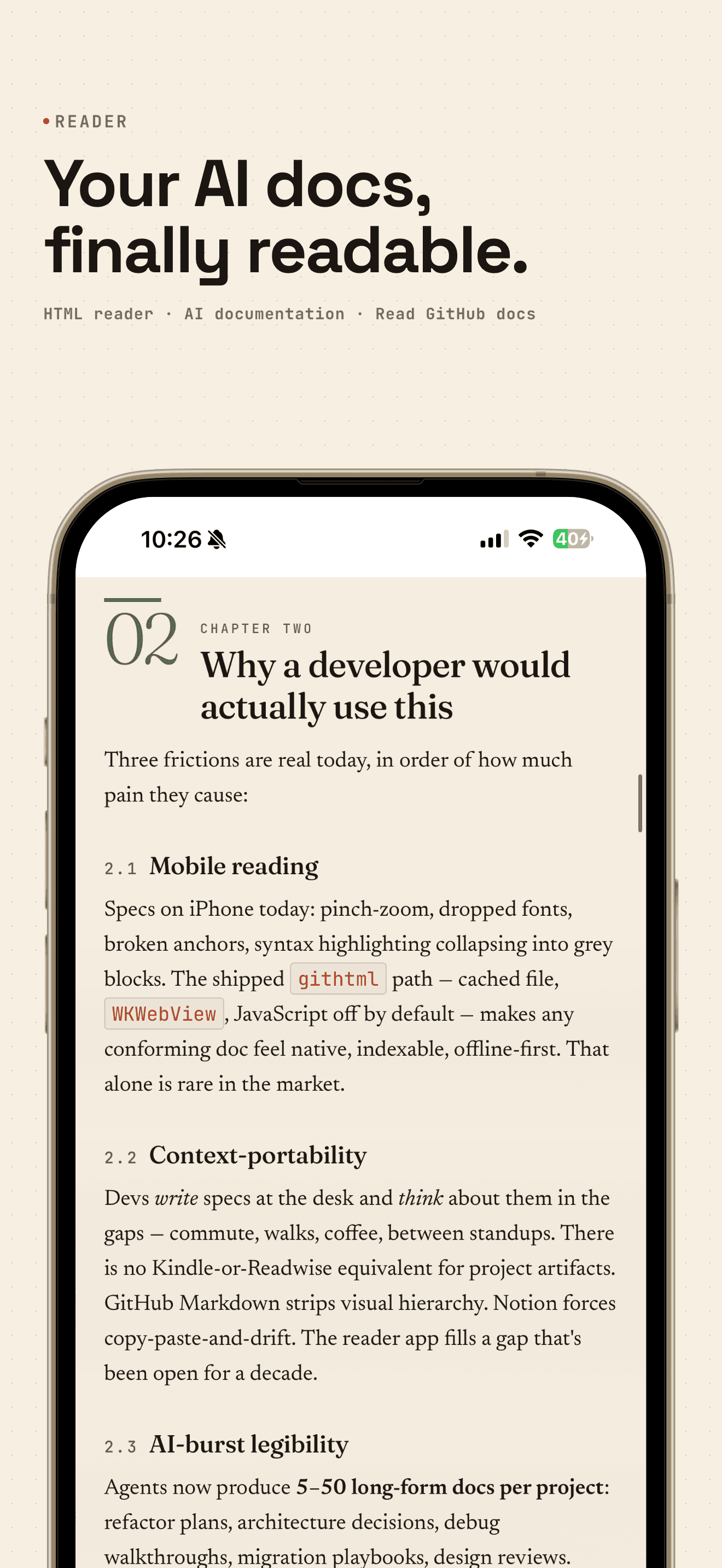
gitHtml iOS reader rendering an HTML document from a GitHub repository
01READER

The clean reader.

Any .html file, typeset for the phone. JavaScript off by default.
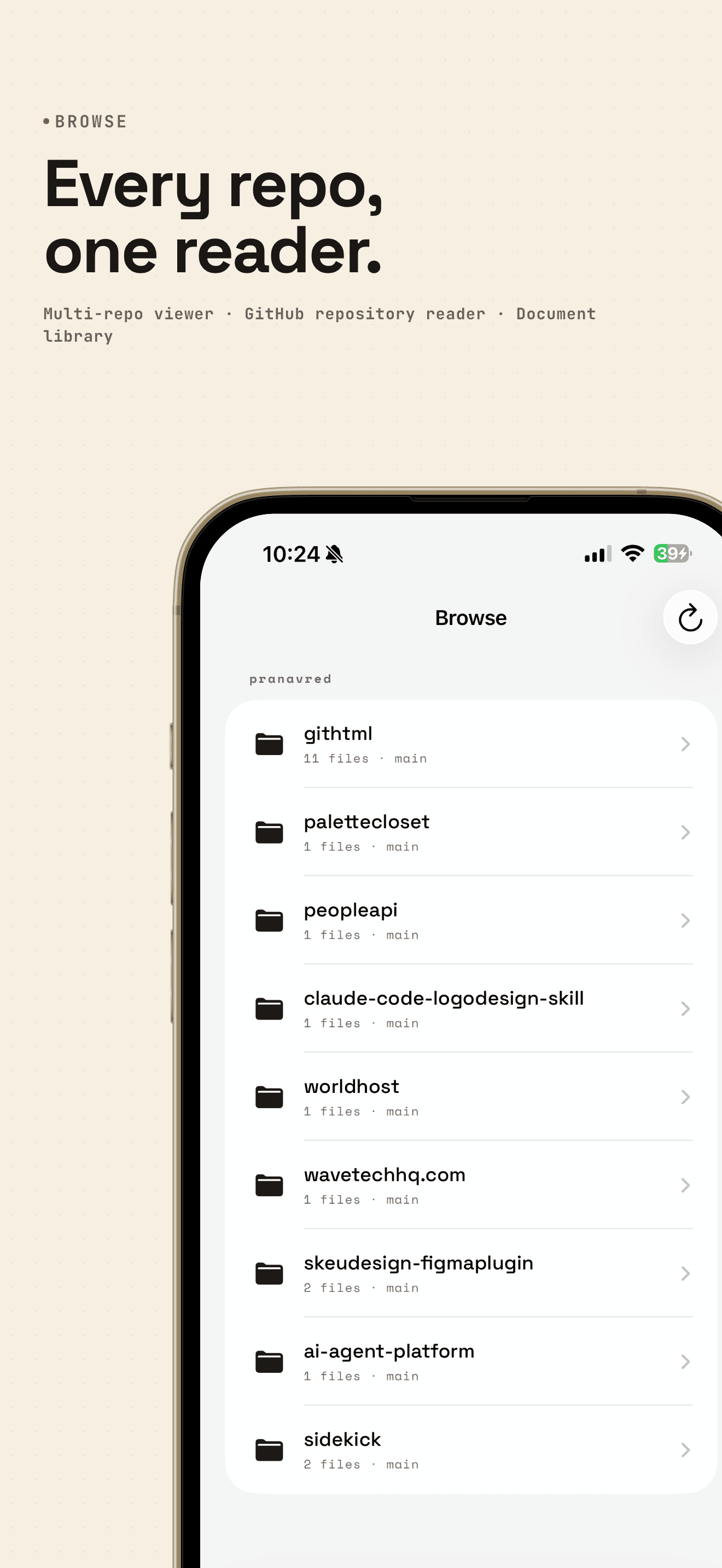
Browse tab in gitHtml listing the user's connected GitHub repositories
02BROWSE

Every repo, one reader.

Connect GitHub, pick your repos, read every .html inside.
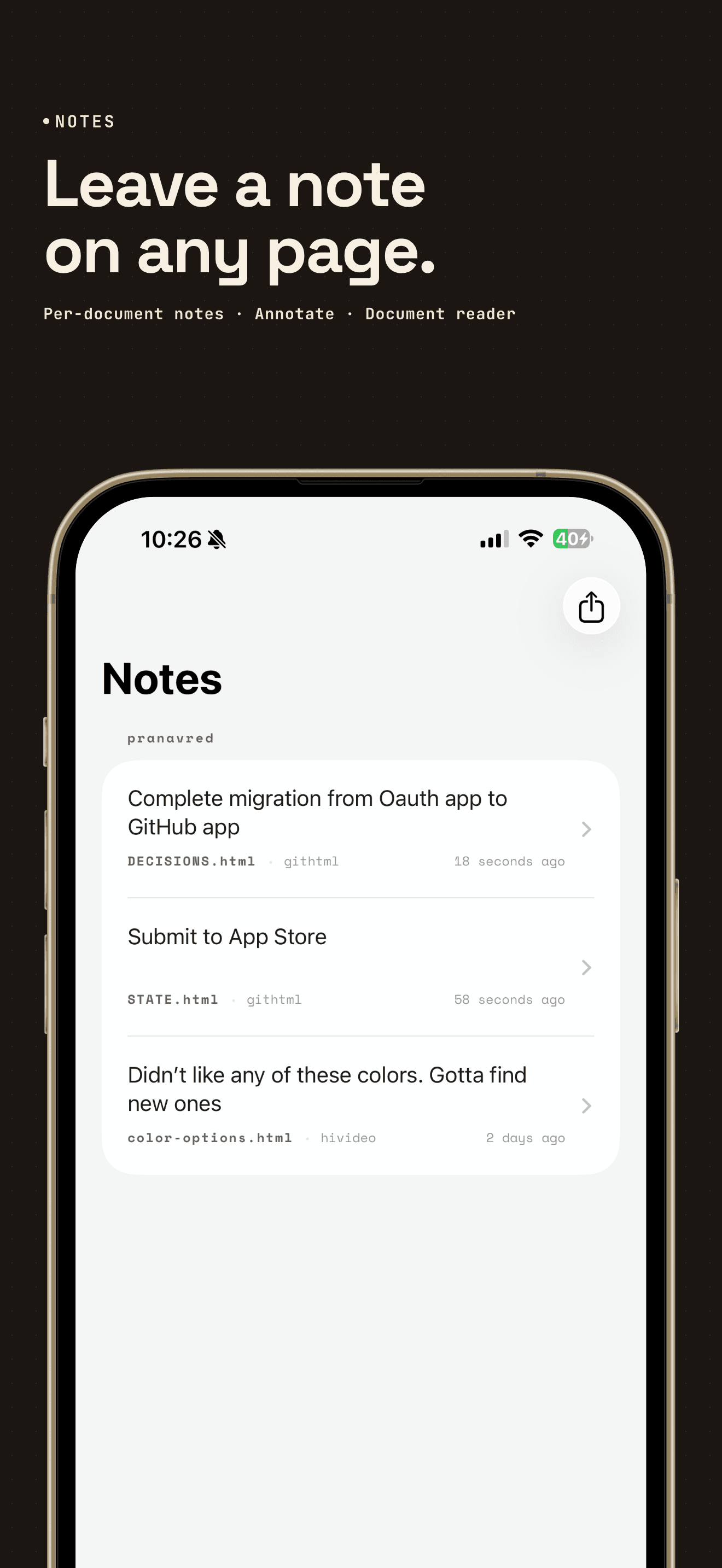
Notes tab in gitHtml listing per-document notes saved across multiple repositories
03NOTES

Notes on every page.

Leave a note on any document. The Notes tab gathers them all.
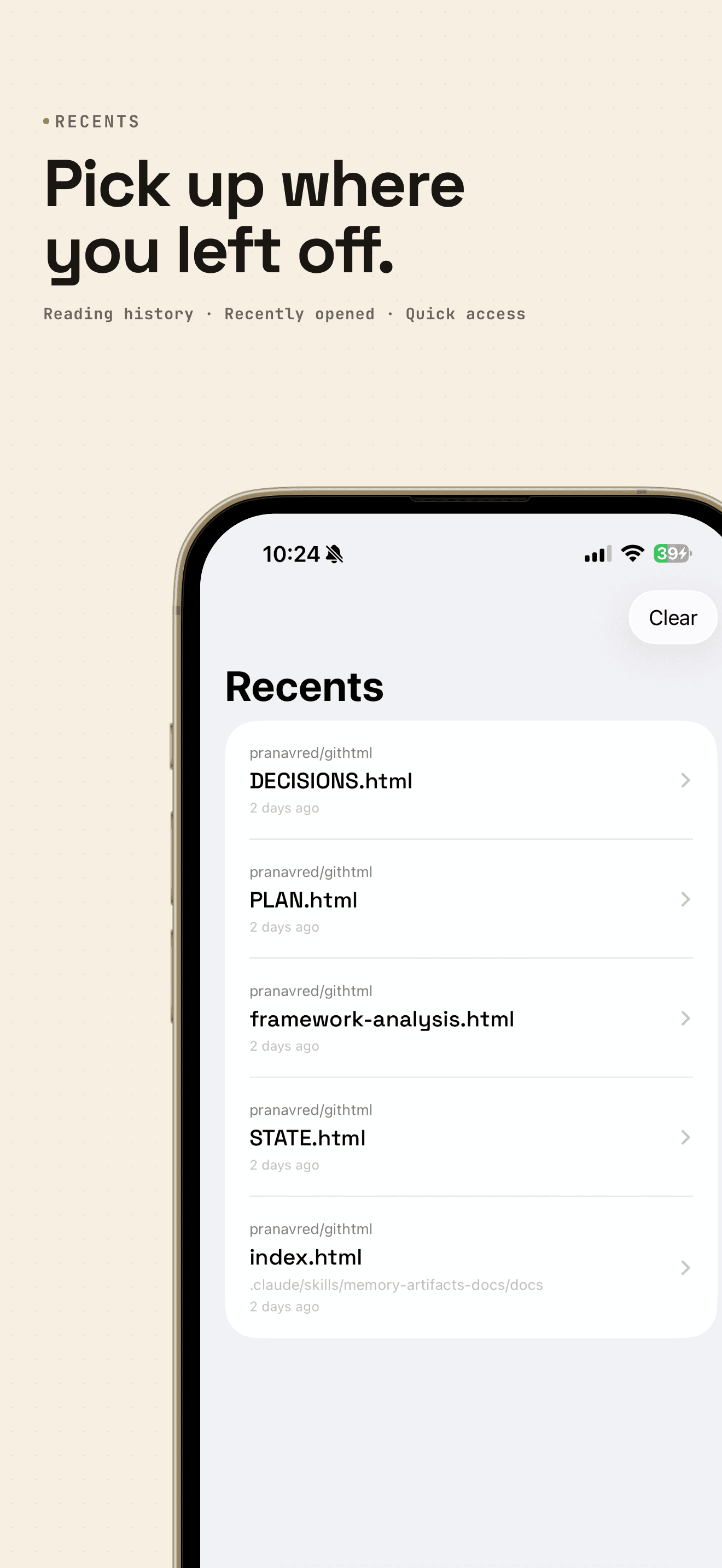
Recents tab in gitHtml listing recently-opened HTML documents with timestamps
04CACHE

Pick up where you left off.

Once opened, cached on your device. No signal required.
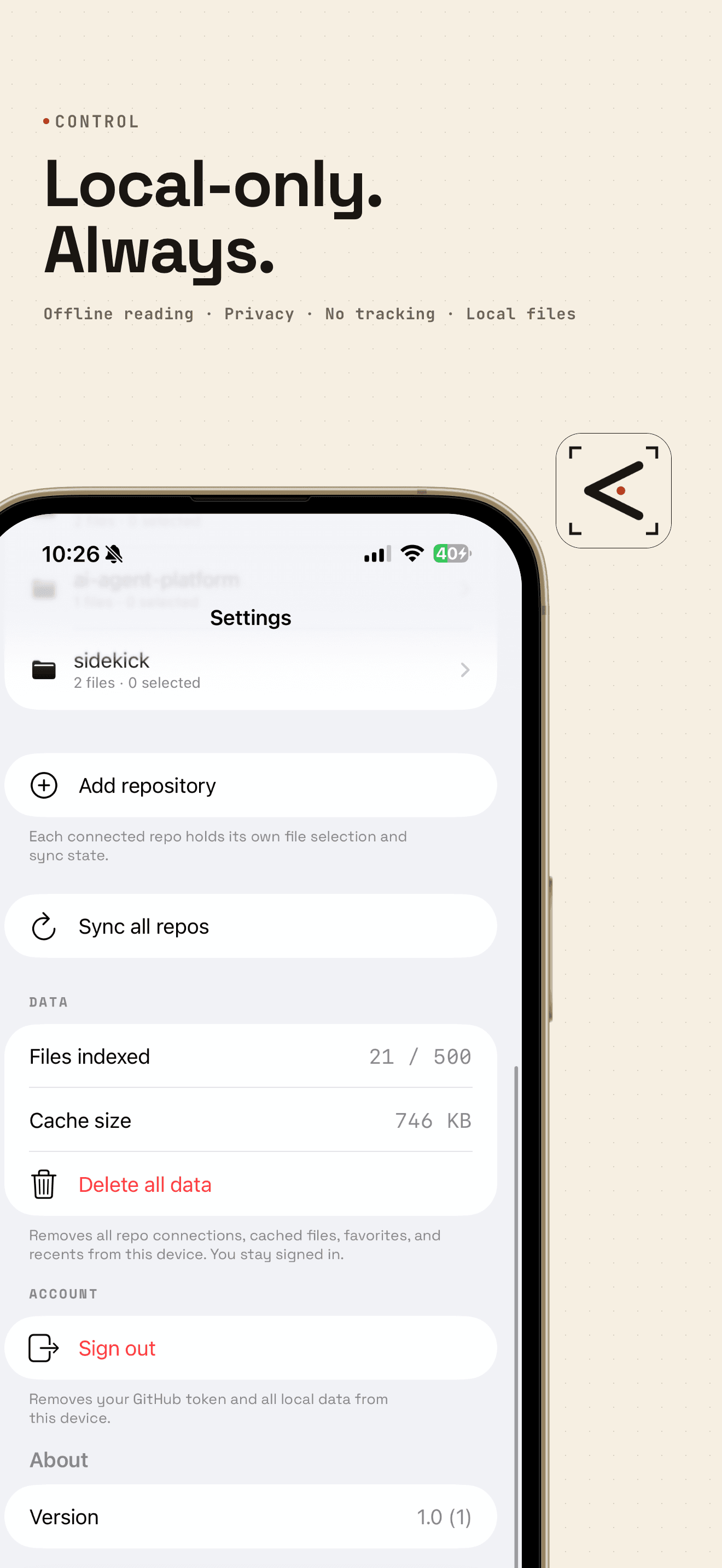
gitHtml Settings screen showing local cache size, indexed file count, and Delete all data
05PRIVACY

Local-only. Always.

Token in Keychain. Files in the sandbox. Wipe all in one tap.

§ 03  /  HOW IT WORKS

Three steps. About thirty seconds.

  1. 01
    STEP ONE

    Sign in with GitHub.

    GitHub's official App install flow. You pick the repos. One permission: "Read access to code". No write access, no org data, no actions.

  2. 02
    STEP TWO

    Owner. Repo. File.

    Your account or any org you belong to. Drill into folders. Cherry-pick files or take everything.

  3. 03
    STEP THREE

    Read. Take notes. Star favorites.

    Star the docs you come back to. Recents catches the rest.

§ 04  /  MADE FOR

The people who actually read documentation.

NAMEgitHtml
PLATFORMiOS 26.2+
DATALocal-only · anonymous
§ 06  /  FAQ

Questions people ask before downloading.

Q.01What is gitHtml?
gitHtml is an iOS reader for HTML documentation files in your GitHub repositories. It indexes the .html files you grant it access to, caches them on your device, and renders them in a clean WebKit reader with per-document notes. Free to download on the iOS App Store, with a 7-day free trial. Requires iOS 26.2 or later. Built for developers who use Claude Code, Cursor, Aider, or similar agents that write extensive docs into their repos.
Q.02How is gitHtml different from GitHub's mobile app?
GitHub Mobile is built to manage repositories — issues, pull requests, code review. gitHtml is built to read them. GitHub Mobile renders .html files as raw source text. gitHtml renders them in a clean reader that preserves the document's own typography and styling. gitHtml also caches every doc offline and supports per-document notes, both of which GitHub Mobile doesn't.
Q.03Does gitHtml work offline?
Yes. Once you've opened a document, it's cached on your device and readable without an internet connection. The only time gitHtml needs the network is to sync new files from GitHub or to download a document you haven't opened before.
Q.04Does gitHtml read Markdown?
Not in version 1.0. gitHtml reads .html files only. Markdown support is planned for a future release; the App Store listing for v1.0 does not promise it.
Q.05Does gitHtml collect any data about me?
Nothing that identifies you. Your GitHub token, notes, cached documents, favorites, and recents all live in local storage on your device — never transmitted. The two pieces that do leave the device are anonymous: RevenueCat receives a per-install purchase record (configured with an anonymous user ID, labelled "Purchase History · Not Linked to Identity" in Apple's App Privacy card) so the app knows whether to honor your subscription; and TelemetryDeck receives anonymous onboarding-funnel events (no client identifier, one-way per-install IDs) so drop-off points can be fixed. No advertising SDKs, no crash reporters, no identity-linked analytics, no gitHtml server. The full breakdown is on the Privacy page.
Q.06What does gitHtml do with my GitHub account?
gitHtml authenticates via GitHub's GitHub App install flow. You explicitly select which repositories gitHtml can see. The permission requested is "Read access to code" — read-only access to repository contents. No write access. No access to your organization data. No ability to take actions on your behalf.
More questions (7)
Q.07How do I delete my data?
Three options inside the app, in increasing scope. (1) Settings → Disconnect a repository removes that one repo's data. (2) Settings → Delete all data wipes everything cached on your device but keeps you signed in. (3) Settings → Sign out wipes everything plus removes your GitHub token. You can also revoke gitHtml's access entirely on GitHub: github.com → Settings → Applications → Authorized GitHub Apps → gitHtml → Revoke.
Q.08Is gitHtml free? What does it cost?
gitHtml is free to download. After onboarding, the app uses in-app purchases: Monthly at $4.99/month, Annual at $29.99/year (includes a 7-day free trial), or Lifetime at $59.99 once. The annual trial is the default; you can cancel any time in iOS Settings → Apple ID → Subscriptions before the trial ends and you won't be charged. The app will never show ads.
Q.09What devices does gitHtml support?
iPhone and iPad running iOS 26.2 or later. There is no macOS app and no web client.
Q.10Why is the app called "gitHtml" — what does it do exactly?
The name says it: it reads HTML files from Git repositories. Specifically, GitHub repositories you authorize. It exists because AI coding agents like Claude Code and Cursor are writing a lot of .html documentation into developer repos, and there has been no good way to read that documentation on a phone.
Q.11Does gitHtml work with private GitHub repositories?
Yes. The GitHub App install flow lets you authorize private repositories explicitly. The permission stays "Read access to code" — read-only.
Q.12Is gitHtml open-source?
The iOS app is not currently open-source. The Vercel token-exchange function and the marketing site are public.
Q.13Who built gitHtml?
WaveTech LLC, an independent studio. Contact: support@wavetechhq.com.

READY · iOS APP STORE

Read your repos. On your phone.
Nothing leaves it.

Download on theApp Store

FREE TRIAL · iOS 26.2+ · iPHONE & iPAD